Sunday, August 20, 2017

#getbookhappy

Every year I change up the theme in the Media Center to keep things exciting.  Students love it, too.  I even had a mom of a former student tell me that her son asked what this year's theme was.  Made my day!


If you follow me on Instagram, then you know that this year's them is #getbookhappy...emoji style.  Here are a few pics of our Media Center all decked out with our new theme.


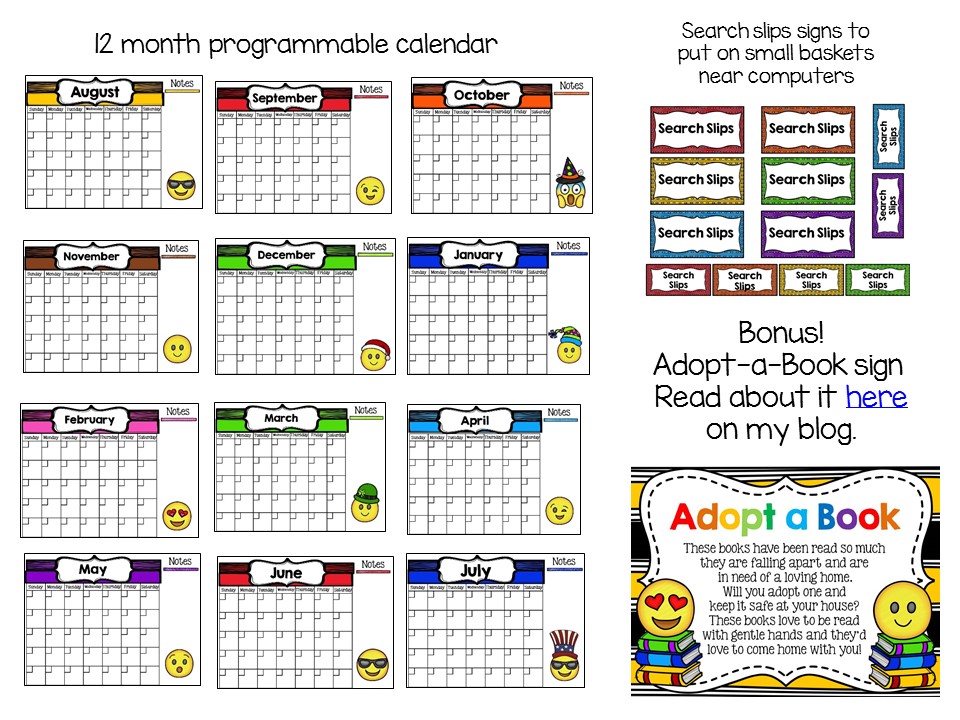
If you'd like to #getbookhappy, check out my Emoji themed Library/Media Center Pack.


This pack includes tons of signs to get your Media Center ready for the new school year:


You can check on this pack on my TpT store HERE.

Also available in the emoji theme:


(Note: This set is included in the LMC pack.)

Emoji Themed Dewey Signs Pack


Do you have a theme for your Media Center?  Let me know in the comments.  Happy Back to School!


Sunday, April 9, 2017

#SLM17 Freebie


We have been on Spring Break this week, but I managed to get the School Libraries Matter Advocacy Pack that I made last year updated with this year's theme.  I plan to get it printed when I return to school on Monday and will once again decorate our media center entrance with the facts from the pack.


There are 21 pages of fun fact sheets about school libraries.

And six versions of the "I love my school library media center" sheets for your students to tell about their experience in your library media center.  I use these as part of my display as well.

You can download this 36 page freebie HERE in my TpT store.  I would love to know what you think of it and if you use it to make a display, I would love to see pictures.  You can tag me on Instagram, if you have an Instagram account.  =)

Enjoy and happy #SLM17


Friday, April 7, 2017

Expand Your PLN


It's National School Library Month, a perfect time to expand your Personal Learning Network, or PLN.

My PLN has grown significantly over the last few years, and I am truly grateful for all of the fantasitc ideas, resources, suggestions, and advice.  Your PLN can be anything from blogs you follow, to Twitter accounts of other TL/MS, to following Twitter chats, to facebook pages, to Instagram pages and more.  Below are some of the best sources of info I have found to help me grow as a School Library Media Specialist.  Perhaps you will find something helpful, too.  =)


@cybraryman1  (Jerry Blumengarten)

@cathyjo  (Cathy Jo Nelson)

@THLibrariZen (Lynn Kleinmeyer)
@librarianprblms (for a good chuckle)


#futurereadylibs
#tlchat
#edtech
#tlelem
#middlelib
#libchat
#PowerofPublicSchools
#ISTElib
#LibrarianProblems   (for more good chuckles)

Cybraryman has created a list of educational hashtags that you might find helpful. You can find that list HERE.


There are tons of twitter chats going on nightly/weekly/monthly. They usually last about an hour and go by surprisingly fast.  Pick one that tickles your fancy and check it out.  If you like what you see, jump in the conversation.  If the pace of a twitter chat seems too fast, don't despair.  Some Twitter chats are archived so you can always go back to look at something you might have missed.  If you're not sure what a Twitter chat is or how to take part in one, you can check out THIS helpful info compiled by Cybraryman.  Cybraryman has also created a neat little page that lists the current day's Twitter chat and what time they take place. You can find it HERE.  Another great resource to check out is the TL Virtual Cafe.


Georgia Library Media Association (or your state's Library Media Association)


And of course, you can always follow me on Bloglovin', my Facebook page, Twitter, Instagram, and Pinterest.


Are there any I missed?  Let me know in the comments and I will add them.  Happy SLM17!


Saturday, March 4, 2017

St. Patrick's Day Fun

St. Patrick's Day is right around the corner. I have several St. Patrick's Day products that might help make your St. Patrick's Day sparkle.


These St. Patrick's Day signs can make your book displays golden.  You can get them in my TpT store HERE.


This St. Patrick's Day themed call number sorting center is a fun way to review reading call numbers.  You can get this center HERE in my TpT store.


I also have a St. Patrick's Day themed shelf order center.  This is a great review for shelf order.  I have used this center before as a "Minute to Win It" type activity, giving students one minute to put the cards in the correct order.  They love it!  You can get this center HERE in my TpT store.


Students also enjoy these St. Patrick's Day bookmarks, especially the black and white ones they can color.  You can download this freebie HERE in my TpT store.


This full set of St. Patrick's Day bookmarks make an easy prize for the centers above if playing them as a game.  You can purchase this pack HERE in my TpT store.


If you'd like to try something a little different, this free story starter is a great writing activity for your littles.  It helps them organize their thoughts and then put their sentences in order to make an interesting story about catching a leprechaun.  You can download this freebie HERE in my TpT store.


This story starter pairs well with the book Twas the Night Before St. Patrick's Day by Natasha Wing.  It's one of my favorite stories to read for St. Patrick's Day.  I have made some auras with Aurasma to go with this book to make it even more exciting to read.  If you'd like to use the auras I've created, just follow the Aurasma channel I used to create the auras.  To do that, after downloading the Aurasma app on your mobile device, click on or type in this link in a browser on your DEVICE and you will be able to follow the channel:  http://auras.ma/s/jDB4n


I also have a story element freebie that goes with this book.  It is a Google doc freebie.  Click HERE to download it.  Once you have opened the Google doc, click on the white download arrow in the right hand corner to save and download the file.


And if you are looking for St. Patrick's Day websites, check out these websites I saved in a Sqworl, one of my favorite bookmarking sites.  Click HERE to view the Sqworl.


One of my favorite websites on this Sqworl is the Leprechaun cam which is a live webcam feed in a field in Ireland.  I usually keep this website up on our ActivBoard the entire St. Patrick's Day so that students can keep watch for leprechauns.  Click HERE to go to the website.

Hope you find something fun you can use with your little leprechauns.


*I'm an affiliate for things I've bought or used personally.  If you click through any referral links (if included), at no cost to you, I will earn a commission if you make a purchase.  Thank you for your support in this way.


Friday, February 24, 2017

Big Heart Eyes Emoji These Bookmarks

Hey guys!

I'm just popping in to let you know about some new bookmarks I made this week.  We've been off on mid-winter break so we've been getting some things done around the house.  I decided to take a break from housework and do something creative.


I made a fun freebie pack of bookmarks that includes 2 colored bookmarks and 2 black and white bookmarks for your students to color.  You can snag this freebie HERE.  If you download this freebie, I'd love to hear what you think.


I made this fun set of 32 emoji bookmarks that comes with 16 colored bookmarks and 16 black and white bookmarks for your friends to color.  You can grab it HERE in my TpT store for $2.50.

Hope you enjoy!


Wednesday, January 18, 2017

Big Universe


At the end of last year, my principal asked me to look into adding eBooks to our library's collection because she wanted to give our students some practice with reading online since our state has moved to online testing.  I did some asking around to my media specialist colleagues and did some researching on my own when I was contacted by Terri Marsh of Big Universe. After speaking with Terri and watching the video about what Big Universe offers, I passed along the information to my principal.  She decided that we should give Big Universe a shot and it has been such a BIG HIT!


We started using Big Universe at the end of November and our students are really enjoying it so far.  Some students even read books over the break!  Our teachers have also been excited about what Big Universe means for our students to have access to high quality, high interest books, even when the library might not be available.  Our county purchased another reading site for all the elementary schools, and although that other site offers lesson plans, printables, and some other teaching and assessing resources, the books on that site aren't as interesting and fun as the books offered through Big Universe.  Our students want to read books on Big Universe and even ask to do so when they finish their work in class.  They weren't asking to read books from the other site.


Our county is 1:1 with Chromebooks in 3rd grade and up so our 3rd-5th graders have easy access to Big Universe while at school and those that have Internet at home can use their Chromebooks to access Big Universe.  Our K-2nd grade classes have access to a Chromecart for each grade level and use the Chromebooks in their classroom to access Big Universe.  Because Big Universe is web based, they can also use their desktop student computers and classroom iPads to access Big Universe.  

Students use Big Universe to access books when they need something to read.  Sometimes it is used in small groups. Teachers can assign specific books for their class to read, so it makes it easy to do reading groups.  All of our classrooms have ActivBoards, so teachers could project the book assigned to the class on the board and have all students read along on their individual devices.


Big Universe also has a writing tool that allows students to create and publish their own books.  This was especially appealing to our teachers as it gives students a way to practice their keyboarding skills which are more important for students to develop now that our state has moved to online testing.  The students love being able to create books of their own and to share them with their friends through Big Universe. Teachers have even talked about using the writing tool as part of a student's work portfolio or as a culminating activity.


We use Accelerated Reader at our school and many of the Big Universe books are AR books.  Because of this, teachers do not tend to use the Big Universe book quizzes, but do allow students to take the Big Universe quizzes if they so choose.  Students can see their score after they quiz and they can also access all of their quiz scores from their "Stats" tab.  

Big Universe sends teachers and administrators a weekly email so that you can see how many books are read for each class and for the school, how many books have been assigned, and how many quizzes have been taken.  You can also get current information about your school's usage in the admin account.


One thing that we wished Big Universe had is the ability to download the ebooks so that students who do not have Internet access at home could download their books to their devices before leaving school. This can be done, but only on the iPad.  Not very many of our students have their own iPads.  We also ran into a little issue with younger kids having access to books that weren't age appropriate. This was easily fixed by changing the settings to allow only books for grades K-6 to be accessed, rather than the default K-12 setting.  The Big Universe tech support staff was a great help in working with us to resolve this issue quickly.  They contacted me by email and phone to tell me any books that might be of concerned can also be individually blocked if needed.  However, this is an all or nothing kind of setting.  If it is blocked for one student, it is blocked for everyone.  We would love to see the ability to set a book level for each class so that it can be more customize to what our students' reading needs are.


Overall, for us, Big Universe was a good investment.  After researching other companies that offer eBooks, we found that Big Universe was by far the best for us economically.  We are a Title I school with limited funding, so we wanted to be sure we were spending our money in the best way.  With Big Universe, we get access to over 10,000 ebooks for $2,000.   There is no way we could purchase over 10,000 paperback or library bound books for just $2,000.  Plus, Big Universe allows our students to have easy access to high interest books.  That was worth the investment to us. 

Do you use Big Universe or any other eBook site?  If not and you'd like to know more, just send me an email and I'd be glad to put you in touch with our Big Universe rep.


Full Disclosure:  I was not paid for my review of Big Universe.  It is simply an awesome site that I want everyone to know about.  =)