Showing posts with label eBooks. Show all posts

Tuesday, January 23, 2018

Terrific Technology Tuesday


The cooler weather last week inspired me to do a lesson about penguins with kindergarten this week.  So today, a kindergarten class followed along with a nonfiction and fiction pairing of books about penguins that I found on the FREE (for educators) eBook website Epic!  I also found a short but fun FREE  video about penguins on National Geographic Kids. They loved it!  They even walked around like penguins to get to their seats for the next part of our lesson.  At their table, students colored a picture of a penguin that we "magically" made come alive with the FREE augmented reality Quiver app. You can download the penguin picture and many other augmented reality pages for free on the Quiver website.

You can check out their "magical" penguin pictures below.


And best of all, all of this fun learning was FREE!

Are you familiar with the website and app Epic! books?  It is a free resource full of thousands of eBooks.  Educators can get a free account and can add students.  Books can be assigned and students can read those books from mobile devices that have Internet access.  Parents can purchase home access for a subscription fee of $7.99 a month.


I have been using Epic! for around 2 years now and recently became Epic! Certified.  One of my goals this year is to get certified in some of my favorite websites and apps, and this was a quick and easy first step. 

It's super easy to get your certification once you set up your account.  There are only 7 simple steps to go through, all of which are spelled out for you exactly how to complete each step.  If you already have an account, I would encourage you to work on getting that certification.  You'll learn more about how to use Epic!  and you will feel accomplished once you complete it.

Do you use Epic! or other types of technology in your Media Center? What's your favorite website or app?


Wednesday, January 18, 2017

Big Universe


At the end of last year, my principal asked me to look into adding eBooks to our library's collection because she wanted to give our students some practice with reading online since our state has moved to online testing.  I did some asking around to my media specialist colleagues and did some researching on my own when I was contacted by Terri Marsh of Big Universe. After speaking with Terri and watching the video about what Big Universe offers, I passed along the information to my principal.  She decided that we should give Big Universe a shot and it has been such a BIG HIT!


We started using Big Universe at the end of November and our students are really enjoying it so far.  Some students even read books over the break!  Our teachers have also been excited about what Big Universe means for our students to have access to high quality, high interest books, even when the library might not be available.  Our county purchased another reading site for all the elementary schools, and although that other site offers lesson plans, printables, and some other teaching and assessing resources, the books on that site aren't as interesting and fun as the books offered through Big Universe.  Our students want to read books on Big Universe and even ask to do so when they finish their work in class.  They weren't asking to read books from the other site.


Our county is 1:1 with Chromebooks in 3rd grade and up so our 3rd-5th graders have easy access to Big Universe while at school and those that have Internet at home can use their Chromebooks to access Big Universe.  Our K-2nd grade classes have access to a Chromecart for each grade level and use the Chromebooks in their classroom to access Big Universe.  Because Big Universe is web based, they can also use their desktop student computers and classroom iPads to access Big Universe.  

Students use Big Universe to access books when they need something to read.  Sometimes it is used in small groups. Teachers can assign specific books for their class to read, so it makes it easy to do reading groups.  All of our classrooms have ActivBoards, so teachers could project the book assigned to the class on the board and have all students read along on their individual devices.


Big Universe also has a writing tool that allows students to create and publish their own books.  This was especially appealing to our teachers as it gives students a way to practice their keyboarding skills which are more important for students to develop now that our state has moved to online testing.  The students love being able to create books of their own and to share them with their friends through Big Universe. Teachers have even talked about using the writing tool as part of a student's work portfolio or as a culminating activity.


We use Accelerated Reader at our school and many of the Big Universe books are AR books.  Because of this, teachers do not tend to use the Big Universe book quizzes, but do allow students to take the Big Universe quizzes if they so choose.  Students can see their score after they quiz and they can also access all of their quiz scores from their "Stats" tab.  

Big Universe sends teachers and administrators a weekly email so that you can see how many books are read for each class and for the school, how many books have been assigned, and how many quizzes have been taken.  You can also get current information about your school's usage in the admin account.


One thing that we wished Big Universe had is the ability to download the ebooks so that students who do not have Internet access at home could download their books to their devices before leaving school. This can be done, but only on the iPad.  Not very many of our students have their own iPads.  We also ran into a little issue with younger kids having access to books that weren't age appropriate. This was easily fixed by changing the settings to allow only books for grades K-6 to be accessed, rather than the default K-12 setting.  The Big Universe tech support staff was a great help in working with us to resolve this issue quickly.  They contacted me by email and phone to tell me any books that might be of concerned can also be individually blocked if needed.  However, this is an all or nothing kind of setting.  If it is blocked for one student, it is blocked for everyone.  We would love to see the ability to set a book level for each class so that it can be more customize to what our students' reading needs are.


Overall, for us, Big Universe was a good investment.  After researching other companies that offer eBooks, we found that Big Universe was by far the best for us economically.  We are a Title I school with limited funding, so we wanted to be sure we were spending our money in the best way.  With Big Universe, we get access to over 10,000 ebooks for $2,000.   There is no way we could purchase over 10,000 paperback or library bound books for just $2,000.  Plus, Big Universe allows our students to have easy access to high interest books.  That was worth the investment to us. 

Do you use Big Universe or any other eBook site?  If not and you'd like to know more, just send me an email and I'd be glad to put you in touch with our Big Universe rep.


Full Disclosure:  I was not paid for my review of Big Universe.  It is simply an awesome site that I want everyone to know about.  =)


Thursday, February 4, 2016

Free eBooks Sites

If you're like me, you never seem to have enough copies of the popular books in your media center, but probably don't have the funds to invest in more copies.  I have recently come across 2 ebooks sites that are free to educators and offer some of the more popular books.


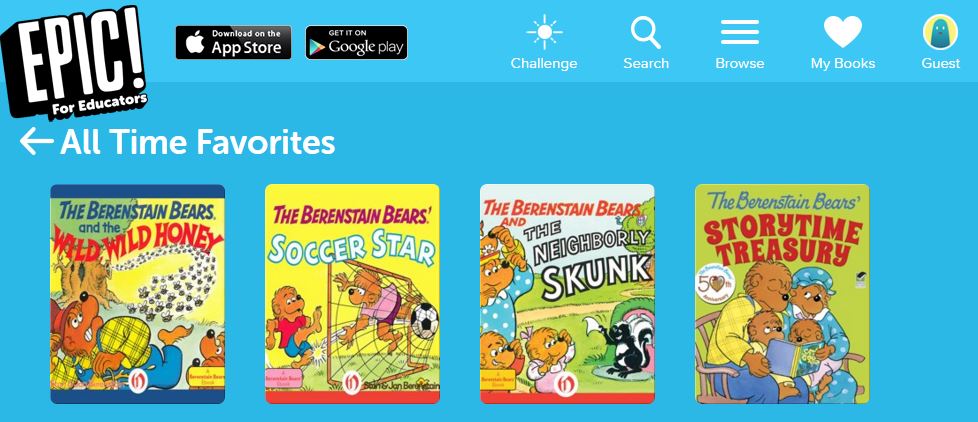
Epic is an ebook site that is free to educators.  It's just $4.99 per month for other uses.  Epic! has over 10,000 titles for K-12.  It is web based, but also has an App Store and Google Play app available.  The educator account includes 36 individual profiles so that you can customize the app for each of your students. This wouldn't necessarily work in the media center, but you could set up a profile for each grade level and put books appropriate for those levels in those profiles.

Check out some of the books that are offered on Epic in these screenshots:


The sports cars, military, and dog and cat pet books are always checked out in my media center.  Now students can access even more of these types of books on Epic!


 You find out more about Epic! HERE and find out more about Epic for Educators HERE.


Zing! is a free ebook site for educators, parents and students. 

Educators can assign specific books to students.


Zing even has a resources page for educators which includes reading, writing, grammar, pd, and books resources.  I love the selection of non-fiction that Zing! offers.


You can even search Zing! by guided reading, Lexile or ATOS level to find books.


Zing! even provides video tutorials to help you use Zing! more effectively.  

You can find out more about Zing! HERE.

For even more ebook sites, check out THIS past Book Bug post.

Are there any ebook sites that you love?


Tuesday, February 26, 2013

Free Online Story Sites

While out on mid-Winter break last week, I picked up a lovely inner ear infection, so I am a bit behind on my blogging.

This is just a quick post of some free sites with access to online stories and books.  I have used many of them with my interactive white board in my Media Center, especially for books that we don't have in our collection.


What are your favorite online book/story sites?  Did I leave any out?


Friday, December 9, 2011

Free eBooks

I don't know about at your school, but at my school our budget is very tight.  We don't get very many new library books per year due to the small budget so I try to find ways to access great literature at little to no cost. Some of my favorite sites for free eBooks are listed below.

Online Storyline is Barnes and Nobles free eBook site.  Every month a different book is featured and is usually read by that book's author or illustrator.  The Polar Express is this month's free “ebook” on Barnes and Noble's Online Storytime site. Chris Van Allsburg is reading the book! It’s about 7 ½ minutes long.  Available until Jan. 3rd.


Storyline Online is another great eBook site.  This site features actors reading popular children'ts books.  Storyline Online is also featuring the Polar Express.  Lou Diamond Phillips is the featured reader.  


Do you have any favorite eBook sites?  I'd love to hear what you think of these sites, too.  Just leave me a comment below.  =)